You set the direction
Define goals, assign responsibility, and guide your sidekick with the relevant context.
 QUINNTON.Sign in ↗
THE CONNECTED OPERATING ECOSYSTEM
Bring your apps together. Turn connected information into coordinated operations and verifiable outcomes.
Quinnton converges your applications, people, and workflows into one governed operating intelligence—with humans in the flow. Powered by Quensar—a patent-pending operating intelligence infrastructure.
MANY SYSTEMS. ONE CONNECTED OPERATION.
Outlook. Xero. Teams. Your own platforms. Connect external apps alongside Quinnton Decks, bring their context together, and coordinate work toward an attributable, verifiable result.
One connected
working context.
You guide.
Your sidekick assists.
Select Outlook, Xero, other external apps, and native Decks. Run the illustration to see their context converge through Quinnton.
Illustrative integrations—not a list of live connectors or vendor partnerships. External apps and native Decks connect through supported APIs, connectors, and capability contracts. Availability and permissions vary by integration. No live records are accessed.
YOUR SIDEKICK FOR TASKS & AUTOMATION
Create tasks and build automations with Quinntus around the way your team works. Define triggers, connect steps, assign owners, and include human review where it belongs.
Build around your process—from a simple follow-up to a coordinated handoff across Decks and connected applications.
Choose a trigger to explore your recipe.
Illustrative builder. This preview does not save or run an automation. Live triggers and execution depend on implemented integrations and authorization.
NOW, INSIDE QUINNTON
Ask, analyze, plan, create, and coordinate across your work. See the actual CRM interface below, then explore specific outcomes. People guide the next step and review proposed actions.
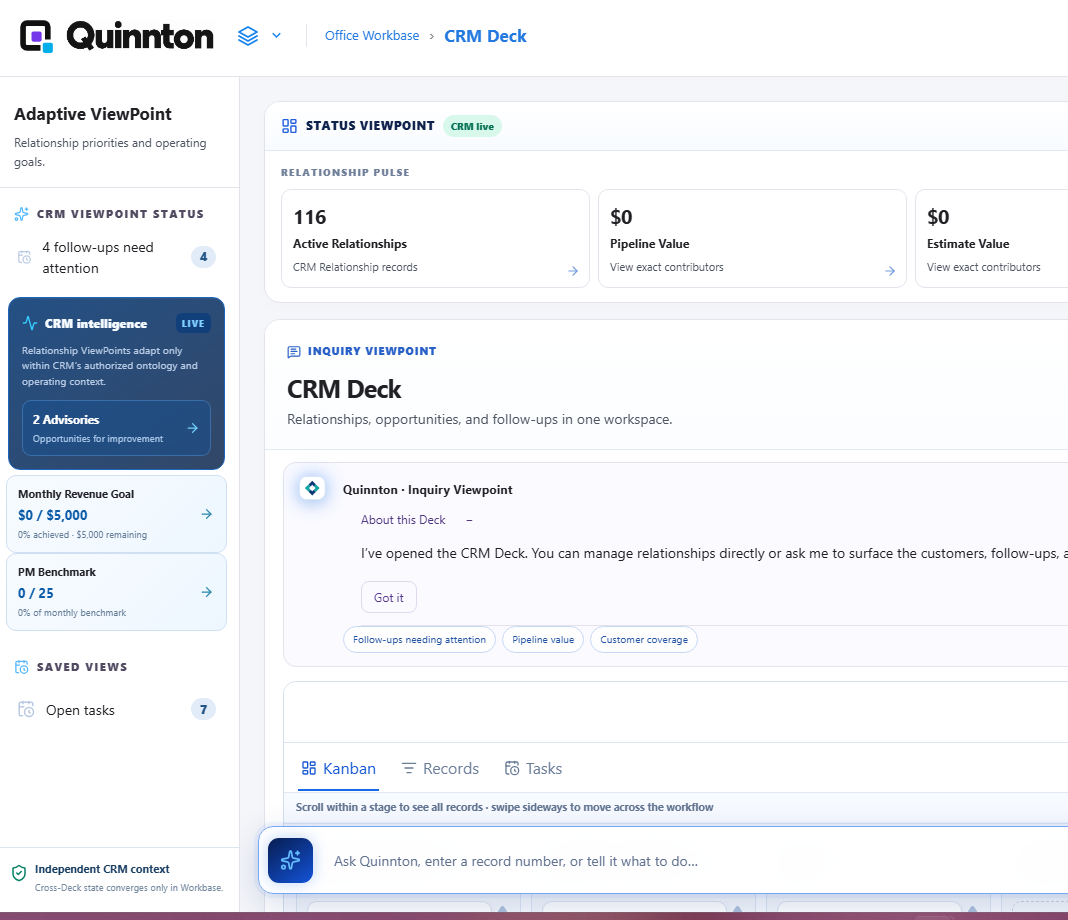
Start in your CRM Deck. Bring the next step into view.
Quinntus Your Smart SidekickDEMONSTRATIONThe CRM screen shows four follow-ups needing attention. Review the relevant records before choosing a next step.
Actual interface, with a simulated interaction overlay. This is a product illustration, not a recording of executed actions.
MEET Your Smart Sidekick
Quinntus helps you move from understanding to action across Decks and connected apps. People set direction, review proposals, provide required approvals, and intervene when needed.
Interactive product illustration.
Uses fictional sample data; no live records are accessed or changed.
QuinntusDEMONSTRATIONBUILT AROUND THE WAY YOU WORK
A Workbase brings related operations together. Independent Decks let you shape the experience around your team, function, and industry.
Keep the customer, job, equipment, and service evidence in view as work moves from assignment to completion.
Enter your workspace ↗Workbase examples show how Decks can be organized. Availability and connected actions depend on implementation and configuration.
POWERED BY QUENSAR
Quensar—a patent-pending operating intelligence infrastructure.
Human-in-the-Flow (HITF) keeps people part of the operation: setting direction, reviewing proposals, providing required approvals, and intervening when needed. Quinntus assists; Quensar governs how intelligence behaves.
Governance is the operating design. Enforcement depends on the connected capability and its implementation.Define goals, assign responsibility, and guide your sidekick with the relevant context.
Prepare tasks, shape automations, and coordinate supported actions with required approvals.
Review evidence, intervene when needed, and distinguish verification from final resolution.
A DIFFERENT WAY TO BRING WORK TOGETHER
Compare the operating approaches—not a claim about every competing product or plan.
| What your team needs | Standalone chat | Separate business apps | Quinnton approach |
|---|---|---|---|
| Relevant business context | Provided or connected context | Records within each app | Context across connected Decks |
| Move from answer to action | Depends on tools and setup | App-specific workflows | Answers and supported actions together |
| Create tasks and automations | Depends on tools and setup | App-specific rules and workflows | Quinntus-assisted task and automation design across supported Decks |
| Adapt the working environment | Conversation and tools | App modules and integrations | Independent Decks in reusable Workbases |
| Ownership and oversight | Depends on implementation | App-specific permissions | Human-in-the-Flow, attribution, and required approvals |
| Confirm the outcome | Depends on tool verification | App-specific status and evidence | Verification as an explicit workflow concern |
Conceptual comparison. Product capabilities vary; connected execution and verification must be confirmed for each workflow.
LET YOUR WORK MOVE TOGETHER